What you will see. The app, as it is.
A run works the same whether or not anyone is looking. But when you do look, this is what you see: what it is trying right now, what each attempt scored, and what it has cost so far.
Screenshots of one real, finished campaign. Every figure in them is a reading from a small run, not a benchmark result.
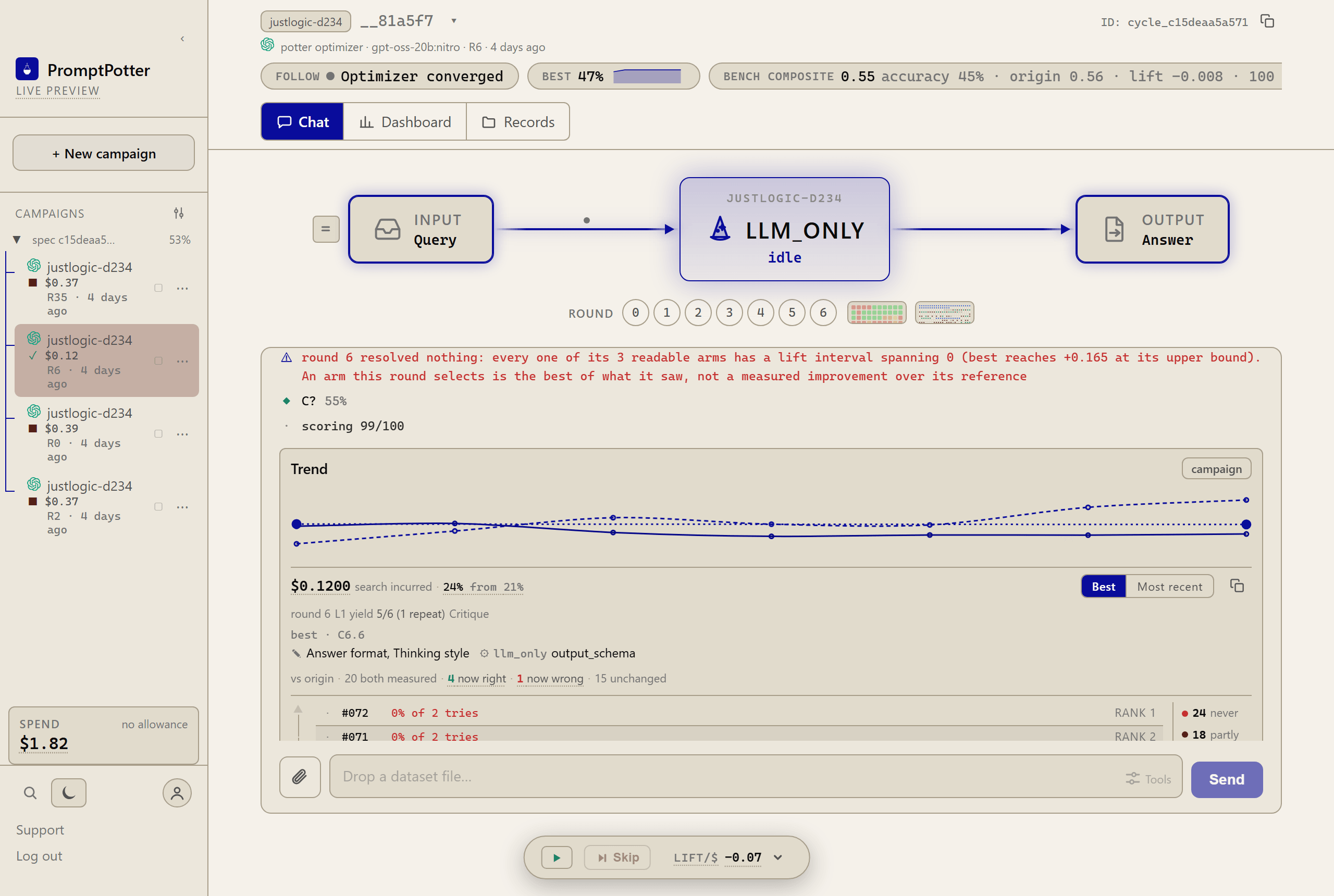
One thread holds the whole run.
A finished campaign in the chat view: its pipeline, its rounds, the trend and the hard-sample ranking. The box at the bottom is where a run starts, by dropping in a file of examples, and the bar under it pauses or skips.
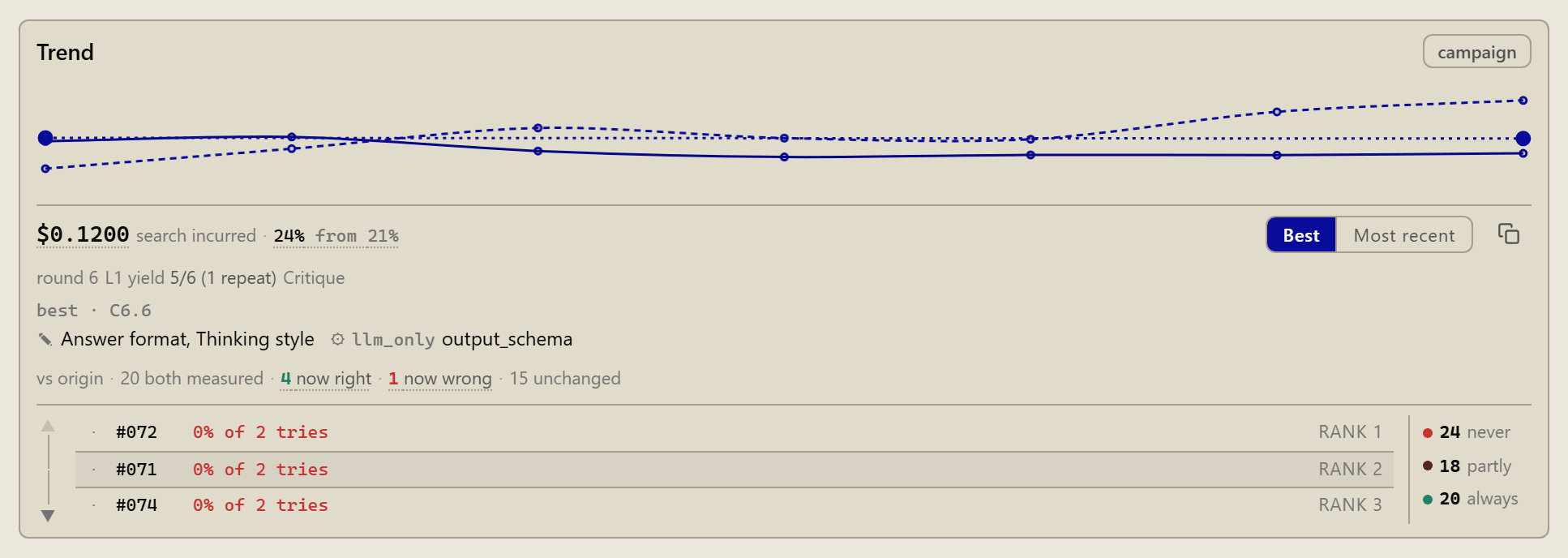
The run card says what changed.
Which prompt fields and which node parameters the best candidate changed, what it cost, and how many samples it now gets right, and wrong, against the origin.
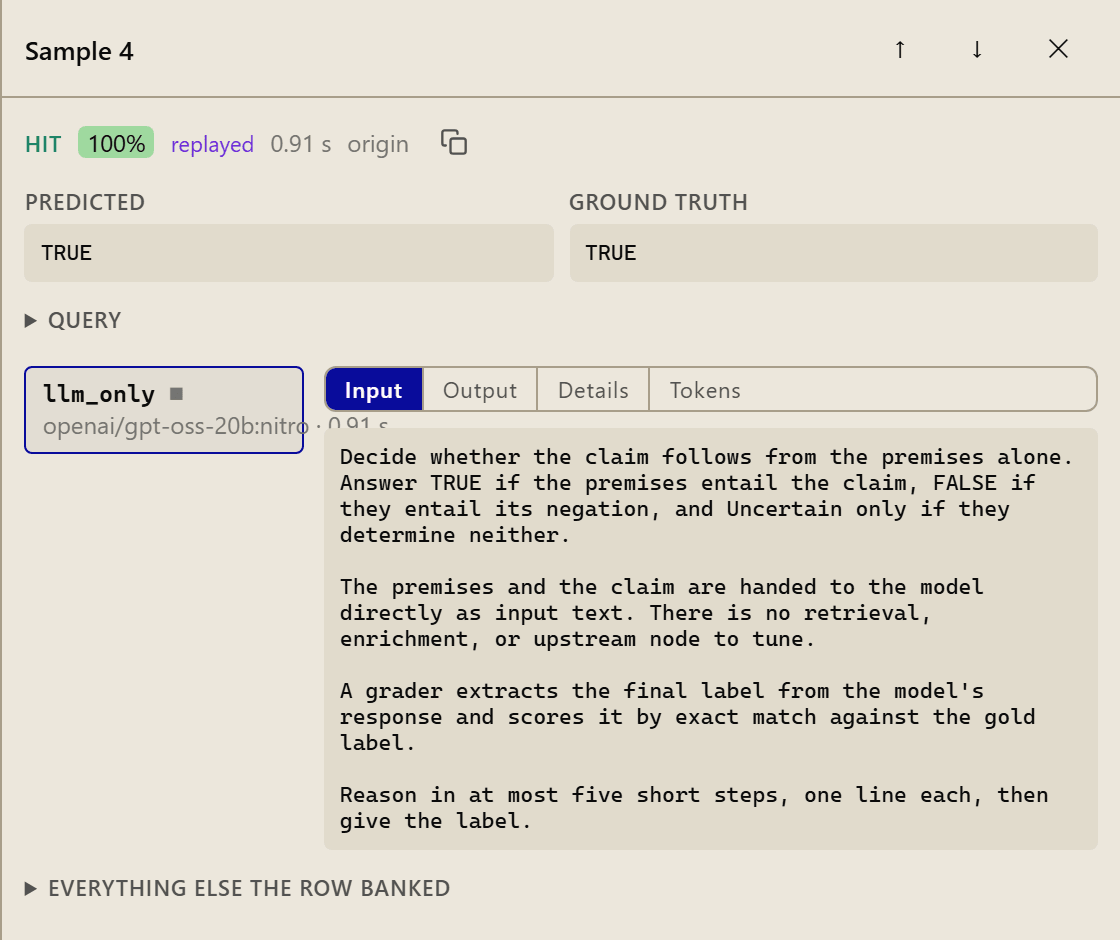
Every number opens down to the call.
One candidate on one sample: prediction, ground truth, the exact input each node received, tokens, seconds, and whether it was paid for or replayed from the archive.
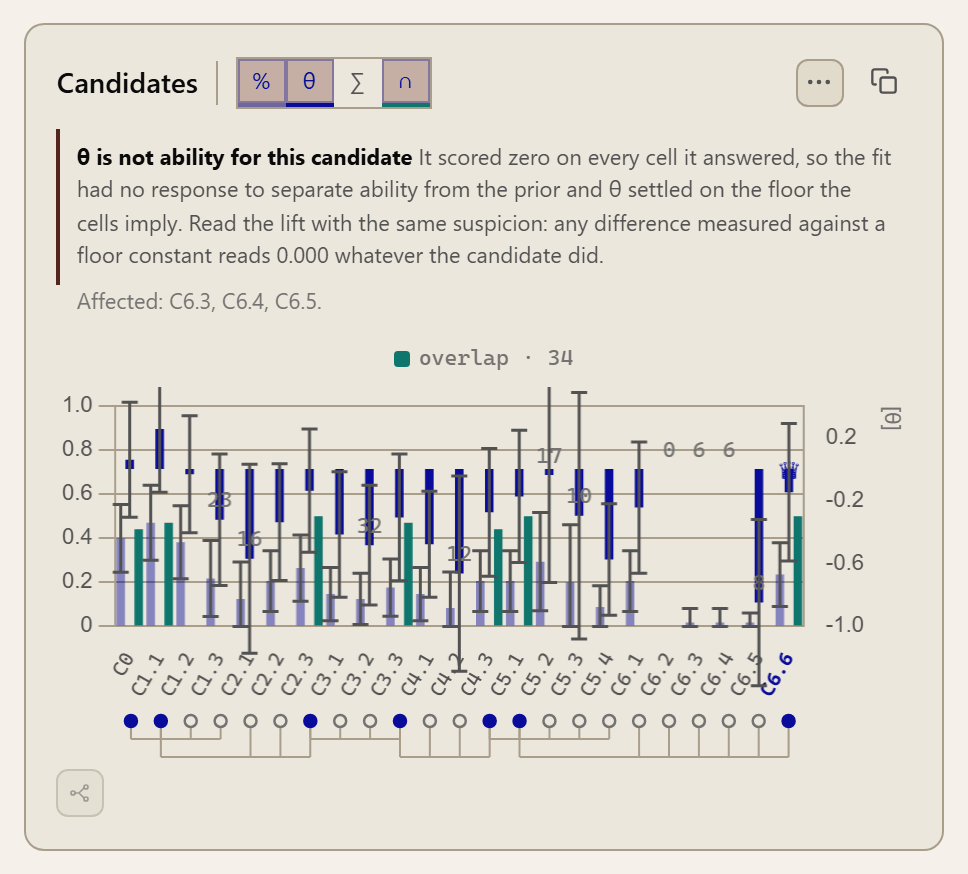
Every candidate, with its interval.
Accuracy, ability and the shared-cell overlap for each candidate across all rounds, with the lineage beneath.
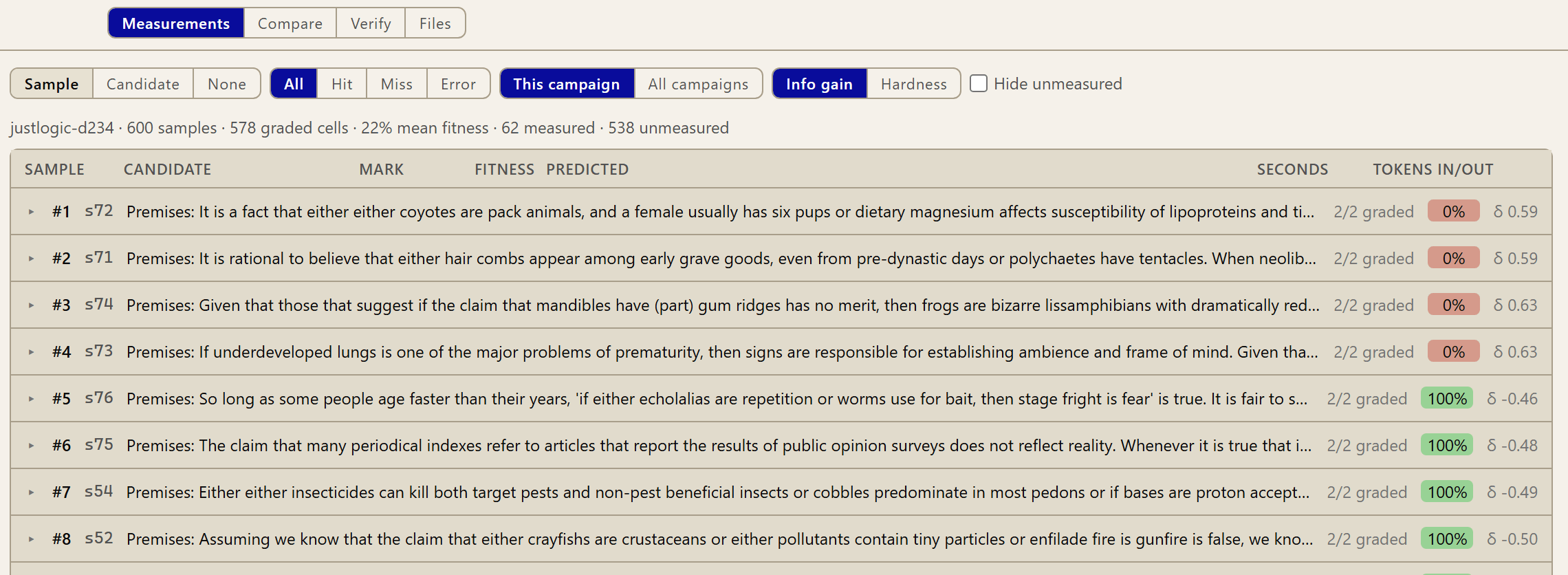
The budget goes where candidates separate.
Samples everyone aces or everyone fails are noise. This view orders the dataset by how much each sample tells you about which candidate is better, and scoring goes preferentially to those.

It does not grade its own homework.
It still promotes the best of what it saw, and tells you, per round, on screen and on disk, that the lift interval spans zero.
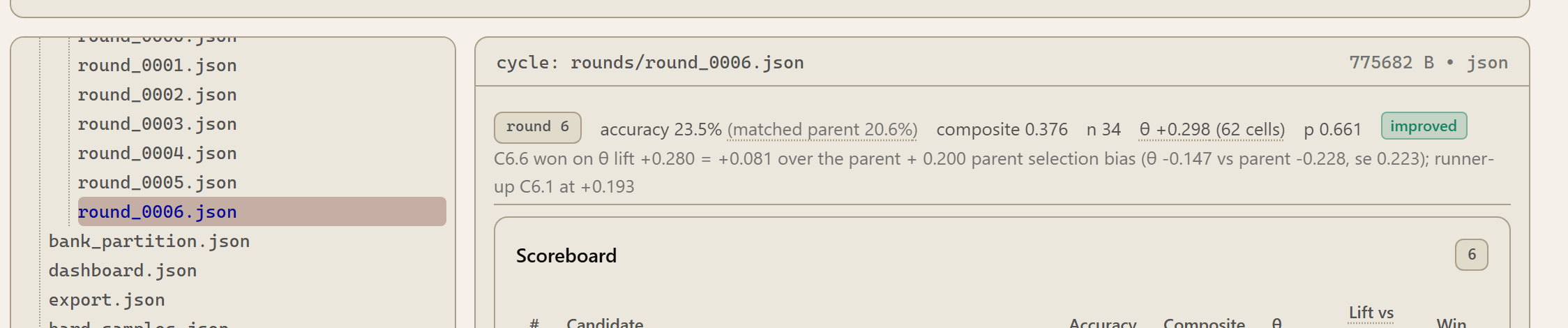
A campaign is an object on disk.
Each round is a JSON file you can open in an editor, and the app renders the same file as a scoreboard.

A comparison opens with what was held equal.
Put campaigns side by side and the first thing served is that list: what was held equal, and what stays confounded. The numbers come after.
Not pictured: the check-in that turns a dropped file into a campaign, and the fork and rewind controls. No light-theme capture of those screens is published yet. A longer walk, on video
What the console still doesn’t do.
- No one-click export. You can read and copy everything, and the files are yours on disk, but there is no download button for the finished version yet.
- Search is not wired up. The box is there in the app and does nothing. It will be removed or finished, not left ambiguous.
- Some toggles are switched off on purpose. A few options in the chat panel are visible but disabled. They are marked as such in the app rather than quietly failing.